For pastors and care teams

Church follow-up software: every follow-up owned, every person remembered.

Notebird is church follow-up software for pastors and care teams. Capture a first visit, a hospital stay, or a prayer request, assign the follow-up to one person with a due date, and see what is open across the whole team. It syncs with Planning Center, Breeze, and Church Windows.
14-day risk-free trial
No credit card required
⭐️⭐️⭐️⭐️⭐️ 4.9/5 stars
Capterra rating badgeCapterra Best Ease of Use badgeSoftware Advice Best Customer Support badgeGetApp User Reviews badgeSoftware Advice Most Recommended badge

People do not fall through the cracks because nobody cares. They fall through because nobody knew it was their turn.

First-time visitors

From "they visited" to "we called them" in one step

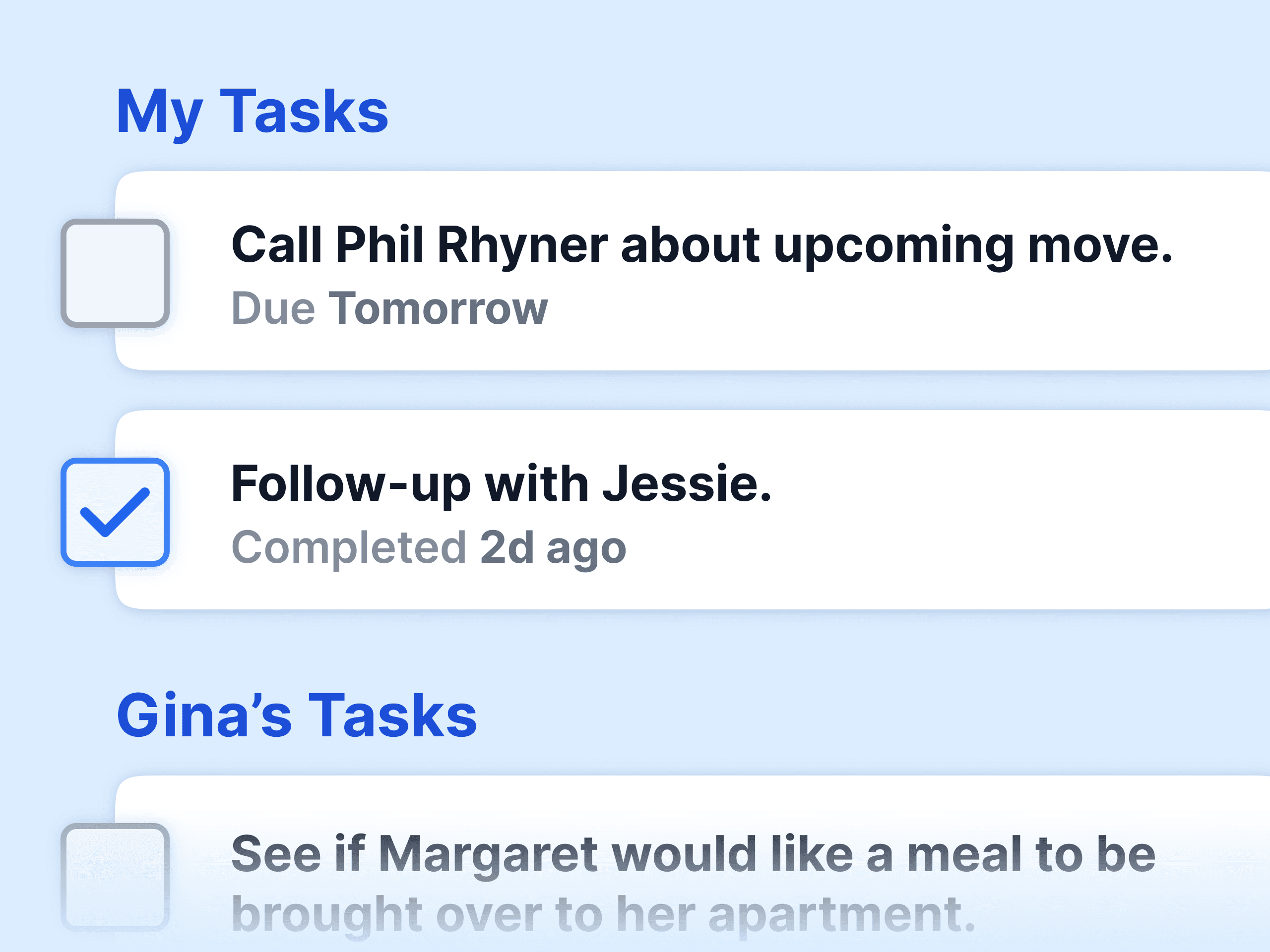
Add the visitor, create a task, assign it to a greeter or pastor with a due date. When the call happens, log the update. When they come back next month, the whole story is there: who called, what they asked, what comes next.

Member care

Hospital stays, losses, new babies: the follow-up is already assigned

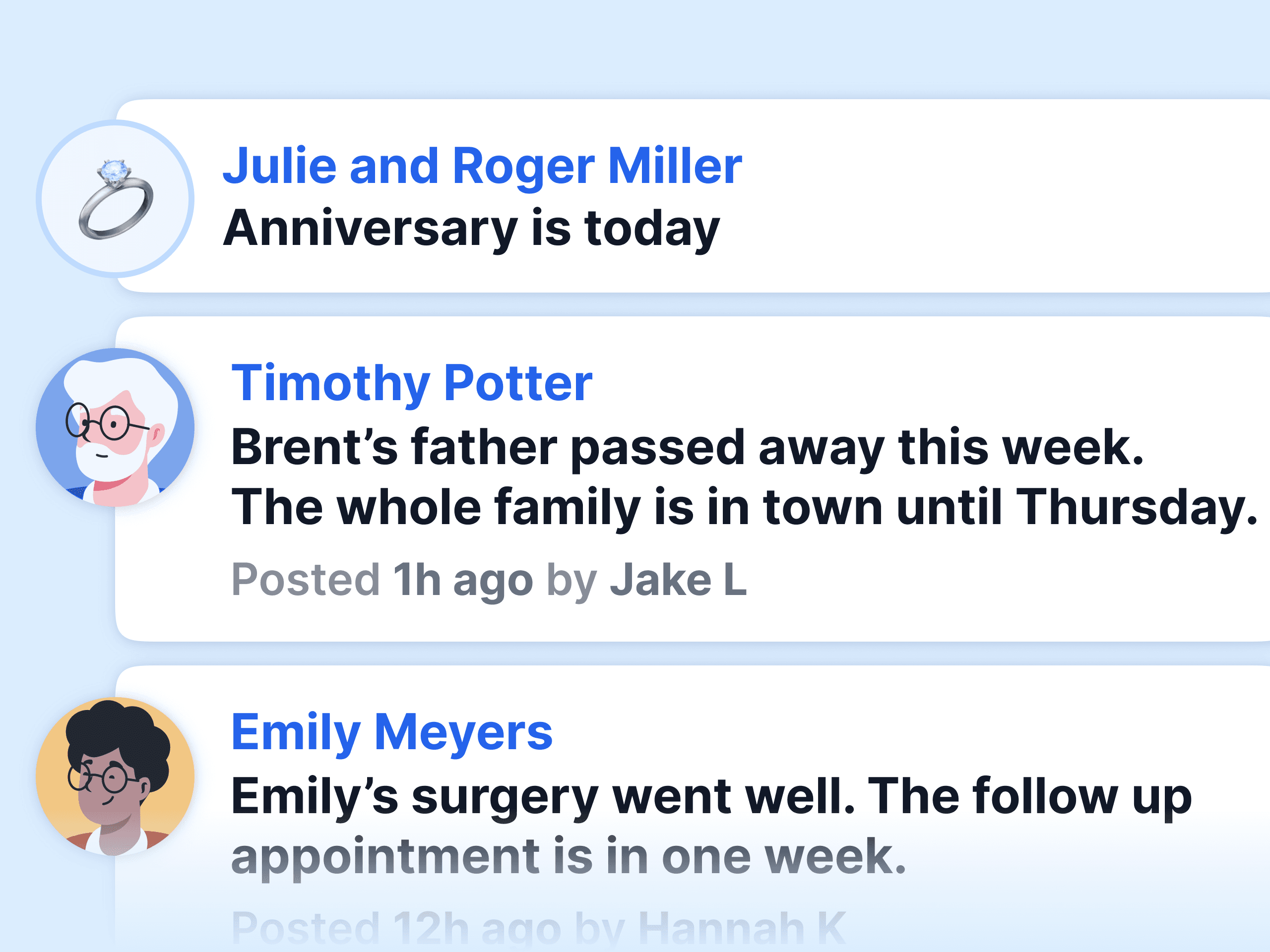
Every care update can carry a follow-up. The activity feed shows the team what happened and what is still open, so two people do not make the same call and nobody makes none.

Teams and volunteers

Assign by group, see by group

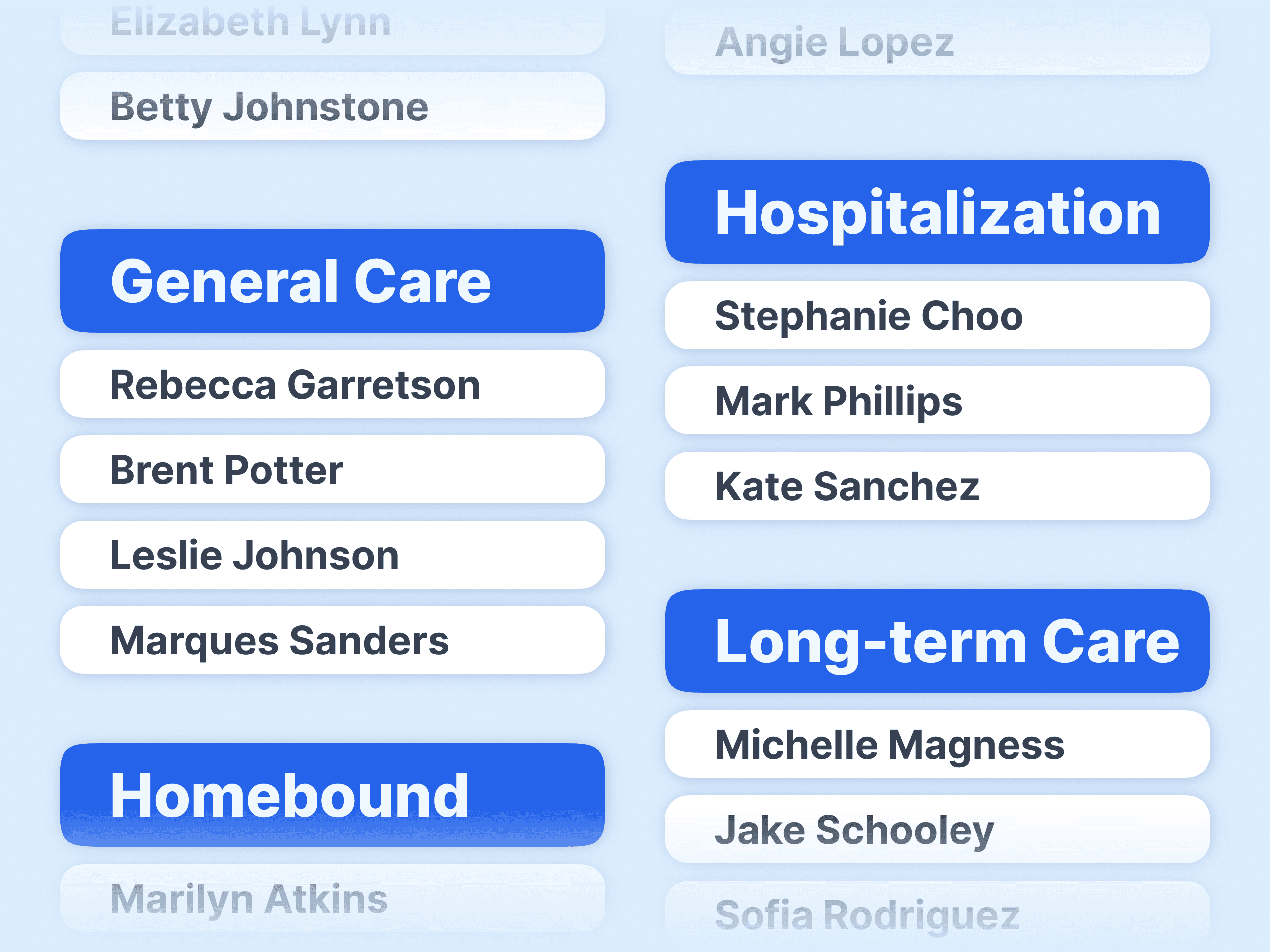
New members, homebound, students, a campus: put people in groups, assign team members and volunteers to the groups they serve, and they see only the people they need to. Open follow-ups roll up per person and per team member.

Nothing lost

Find any follow-up, open or done, in seconds

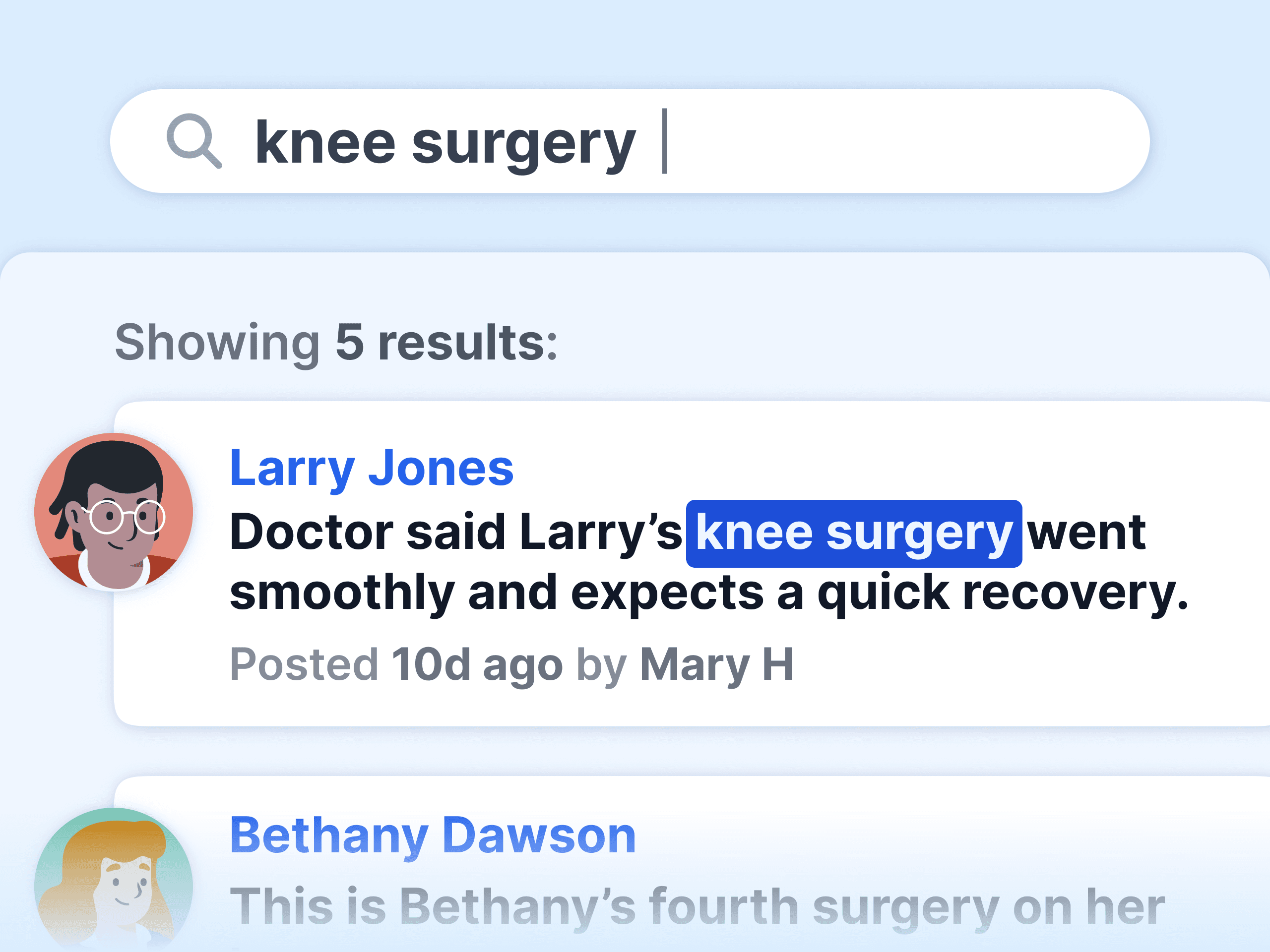
Search across people, updates, and tasks. Filter to open tasks that are due soon. Print a care report before the next elders meeting.

Built for follow-up

A follow-up system a small team will actually keep using

Capture in seconds
Add a person and a task from your phone before you leave the lobby.
One owner, one date
Every follow-up has a name on it and a day it is due.
Daily reminders
The Early Bird report emails who needs attention today.
Syncs with your ChMS
Planning Center, Breeze, and Church Windows; free import from the rest.
Private when needed
Sensitive follow-ups stay with the right people.
Full history
See every past contact before you make the next one.
14-day risk-free trial
No credit card required
⭐️⭐️⭐️⭐️⭐️ 4.9/5 stars
Capterra rating badgeCapterra Best Ease of Use badgeSoftware Advice Best Customer Support badgeGetApp User Reviews badgeSoftware Advice Most Recommended badge

Church follow-up software: common questions

What is church follow-up software?
Church follow-up software makes sure every person who needs a next step gets one. It records the need (a first visit, a hospital stay, a prayer request), assigns a follow-up to a named person with a due date, and shows the team what is open and what is done. Notebird does this with tasks, updates, and the activity feed.
What is the best software for tracking first-time church visitors?
It depends on what you already run. Most church management systems record the visit itself. Notebird is the best fit when you want the follow-up to be owned, tracked, and remembered: assign the call, log what was said, set the next touch, and see the whole history when that visitor comes back a month later.
What is a good church follow-up process?
A simple one that runs every week: 1) capture the need the same day, 2) assign it to one person with a due date, 3) log the contact and what comes next, 4) review open follow-ups as a team. Notebird is built around those four steps.
How do I follow up with a first-time visitor?
Contact them within 48 hours, thank them, answer one question, and offer one next step. Log the contact so the next person on the team does not repeat it. In Notebird, that is one update and one task.
Can Notebird remind us about follow-ups?
Yes. Tasks have due dates and owners, open tasks show on each person's list, and the Early Bird report emails a daily summary of who needs attention. Milestones add reminders for birthdays, anniversaries, and surgery dates.
Does Notebird replace Planning Center Workflows or my ChMS?
No. Notebird syncs with Planning Center, Breeze, and Church Windows and imports from any other system. Your ChMS handles membership, giving, and check-in; Notebird holds the care history and the follow-ups so the pastoral side is not scattered across queues, texts, and memory.
What does church follow-up software cost?
Notebird starts at $12 per month for one user and drops per user as your team grows. Every feature is included, and there is a 14-day free trial with no credit card.

Everything works together

More of Notebird for follow-up

Visitation software

Hospital, home, and shut-in visits, tracked.

Learn more
Milestones

Birthdays and anniversaries become follow-ups automatically.

Learn more
Reports

Print open follow-ups and care history.

Learn more
Groups

Assign follow-up by ministry, campus, or care list.

Learn more
Notebird vs Planning Center

How Notebird follow-ups compare with PCO Workflows.

Learn more

Free trial. Immediate peace of mind.
Start for Free Now →

Still have questions?
Contact UsSee All Features