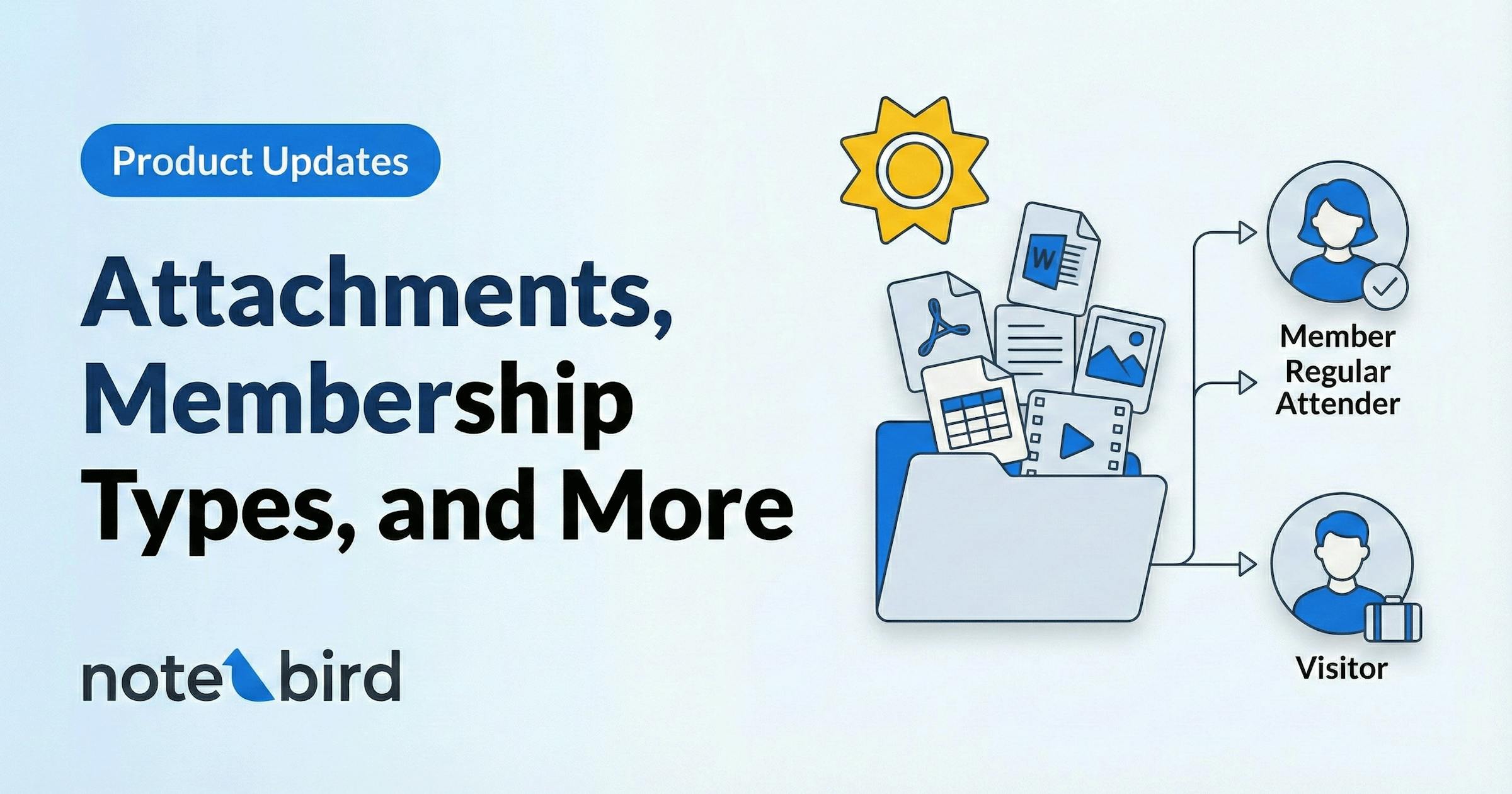
Product Updates: Attachments, Membership Types, and More
Two big features to help your team stay organized, keep the right context at your fingertips, and care for the right people.
Hey friends,
We've been hard at work on some features that we're really excited to share with you. If you've ever wished you could attach a document to a person's profile, or wished you had more control over which people sync into your Notebird account from your church management system: today's your day.
Let's dig in.
📎 Attachments Are Here
We've heard from so many of you about this one. You're sitting with someone, they hand you a medical form or a prayer request card, and you think: "I wish I could just save this right to their profile in Notebird." Well, now you can. Just snap a picture on your phone, and when you create the update, you can tap to attach it to that update. Or, when you enter the update later, just drag the image or document on the profile screen and it will automatically attach to the update.
Starting today, every Notebird account has access to attachments — with no limits on the number of uploads or storage. That's right: unlimited. We didn't want storage caps to be the reason something important didn't get saved.
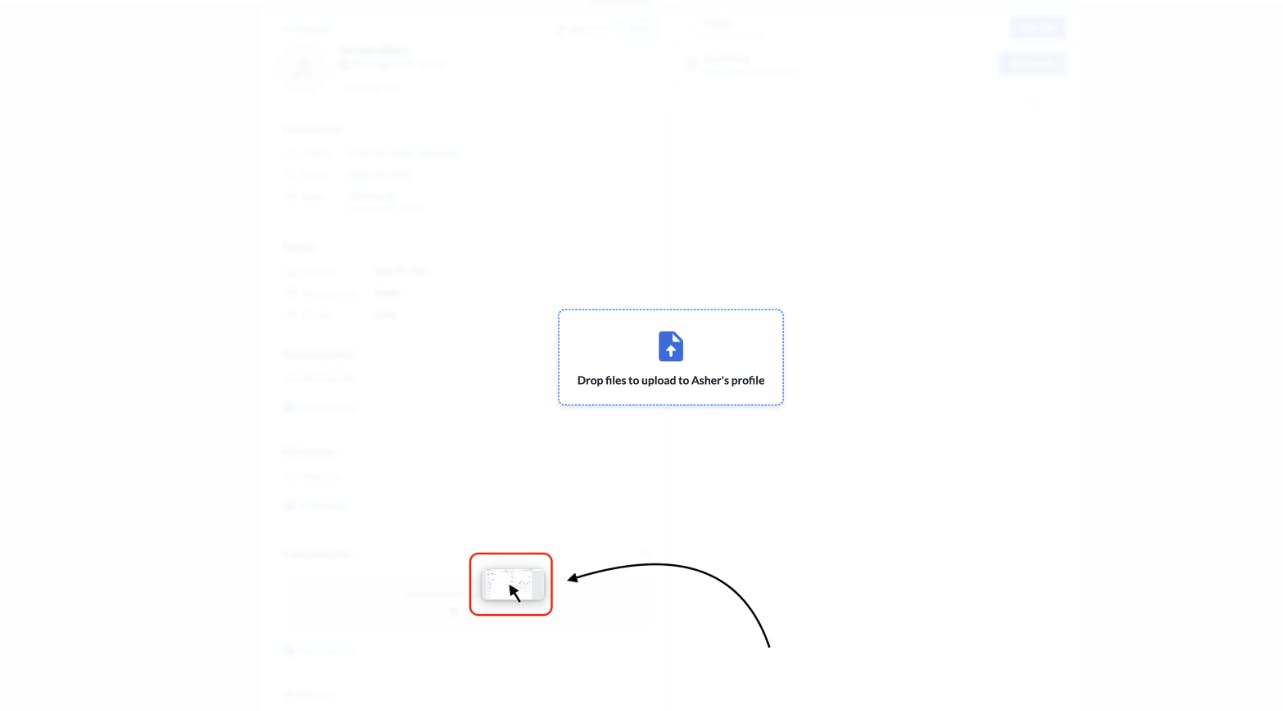
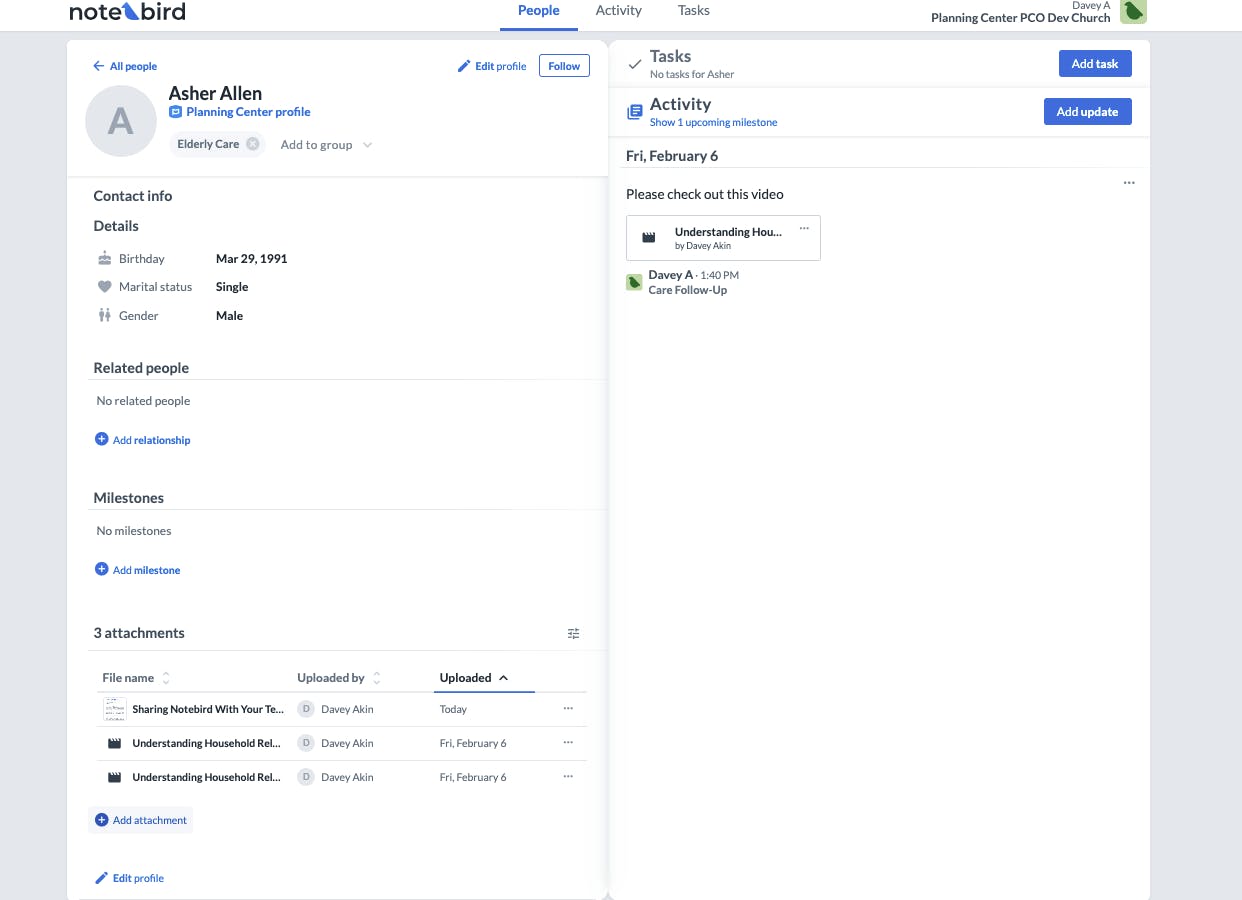
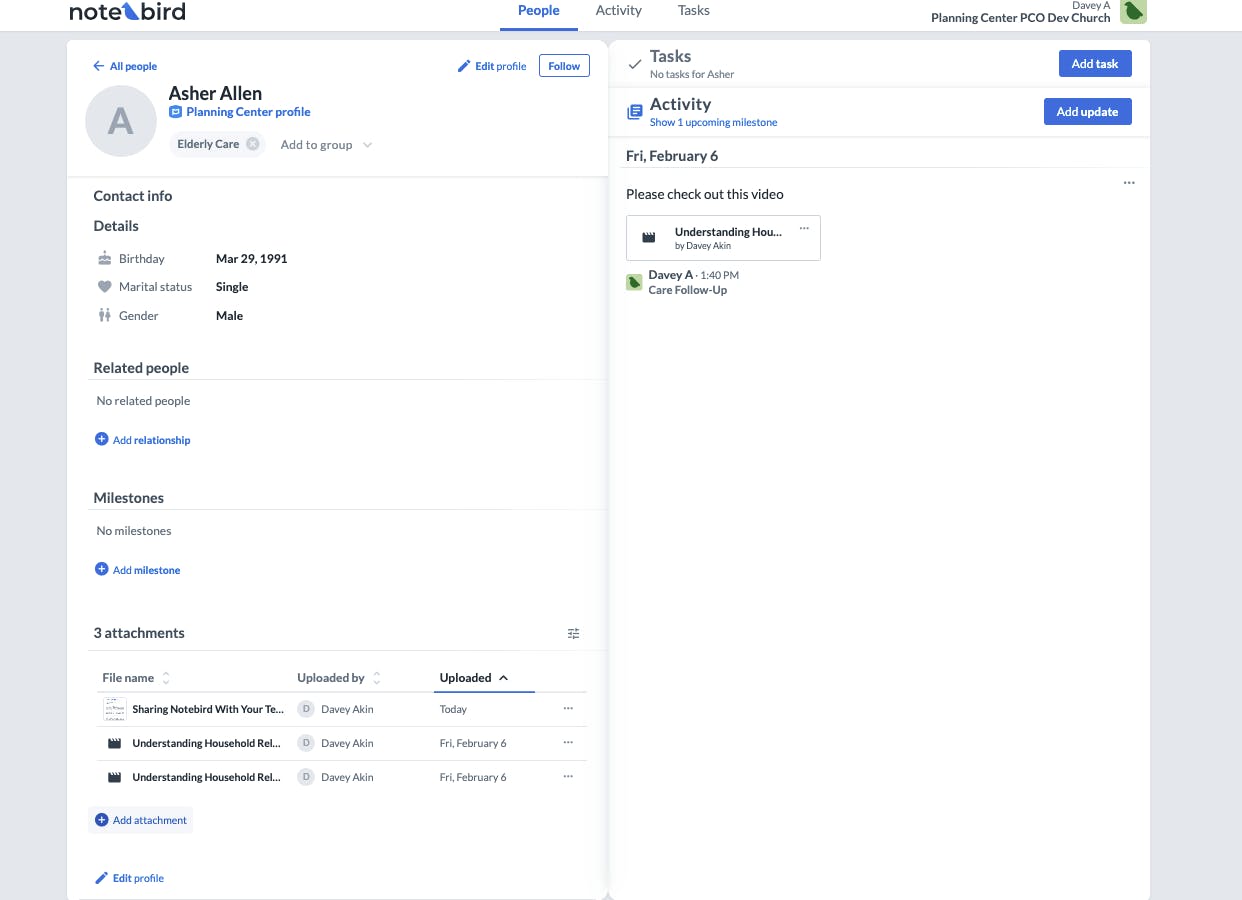
Here's what makes attachments in Notebird really special — they're context-aware. You can drag and drop a file right onto a person's profile to upload it there. But if you're in the middle of writing a care update, drag a file over and it'll automatically attach to that specific update. Same thing with tasks. Notebird is smart enough to know where you're working and puts the attachment exactly where it belongs.
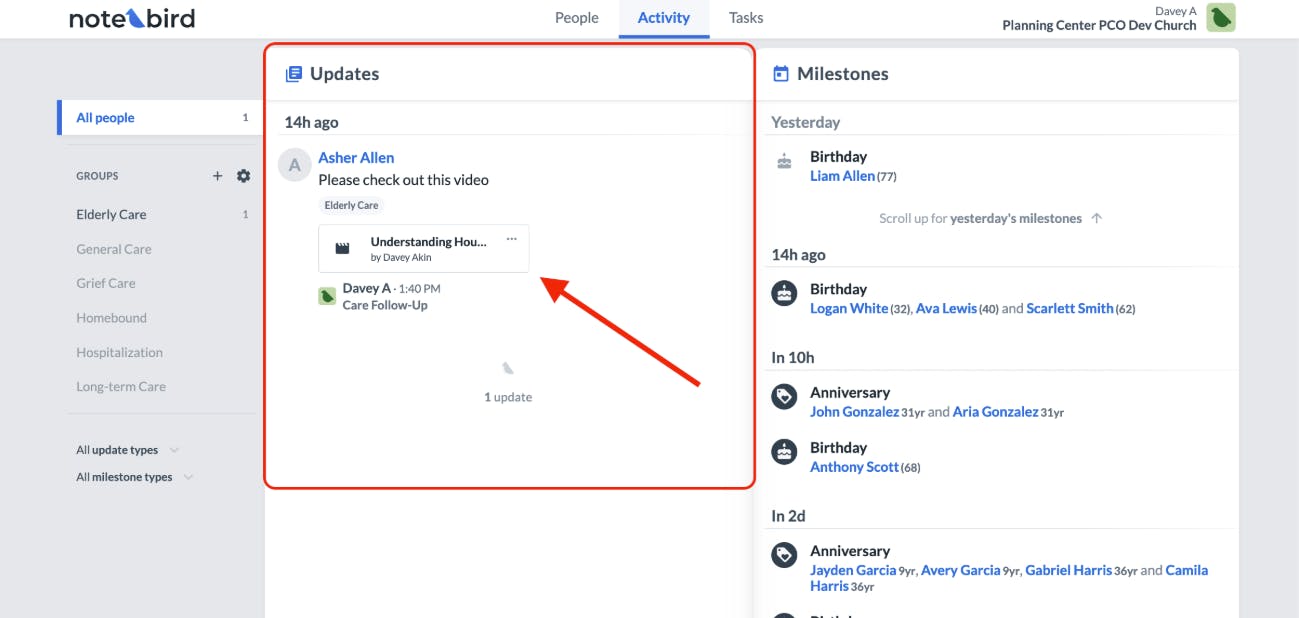
You can upload just about anything — images, PDFs, Word documents, spreadsheets, videos, audio files — and view them right in context. No more digging through your email or your phone's camera roll trying to find that one document someone gave you three weeks ago.
And because we know pastoral care often involves sensitive information, attachments added to restricted updates are automatically restricted too. Your team's confidentiality settings carry right through to any files you attach. If only certain team members can see an update, only those same team members can see its attachments.
👉 Click here to learn more in our full attachments guide →
🏷️ Membership Types
Here's a problem we've heard over and over: "We synced our church management system and now we have 3,000 people in Notebird — but we really only need to actively care for about 500."
That's a real challenge. When your people list is cluttered with names that don't need active pastoral care, it's harder for your team to focus on the people who do. Important follow-ups get lost in the noise.
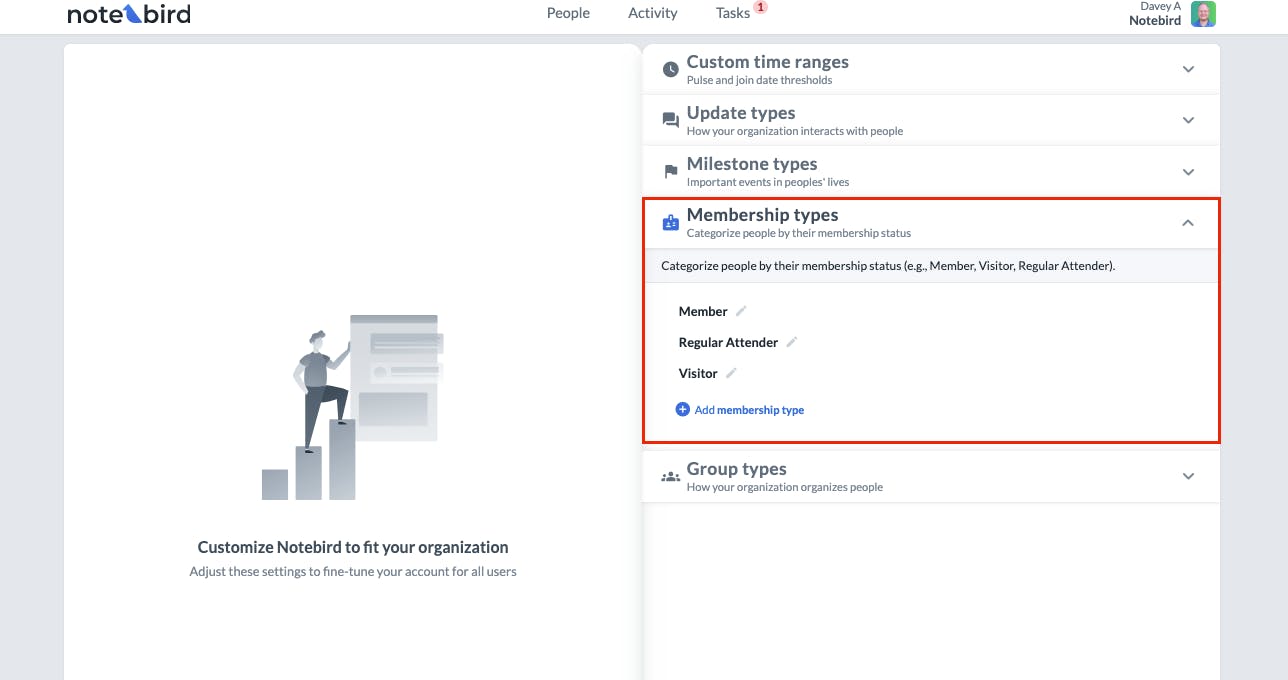
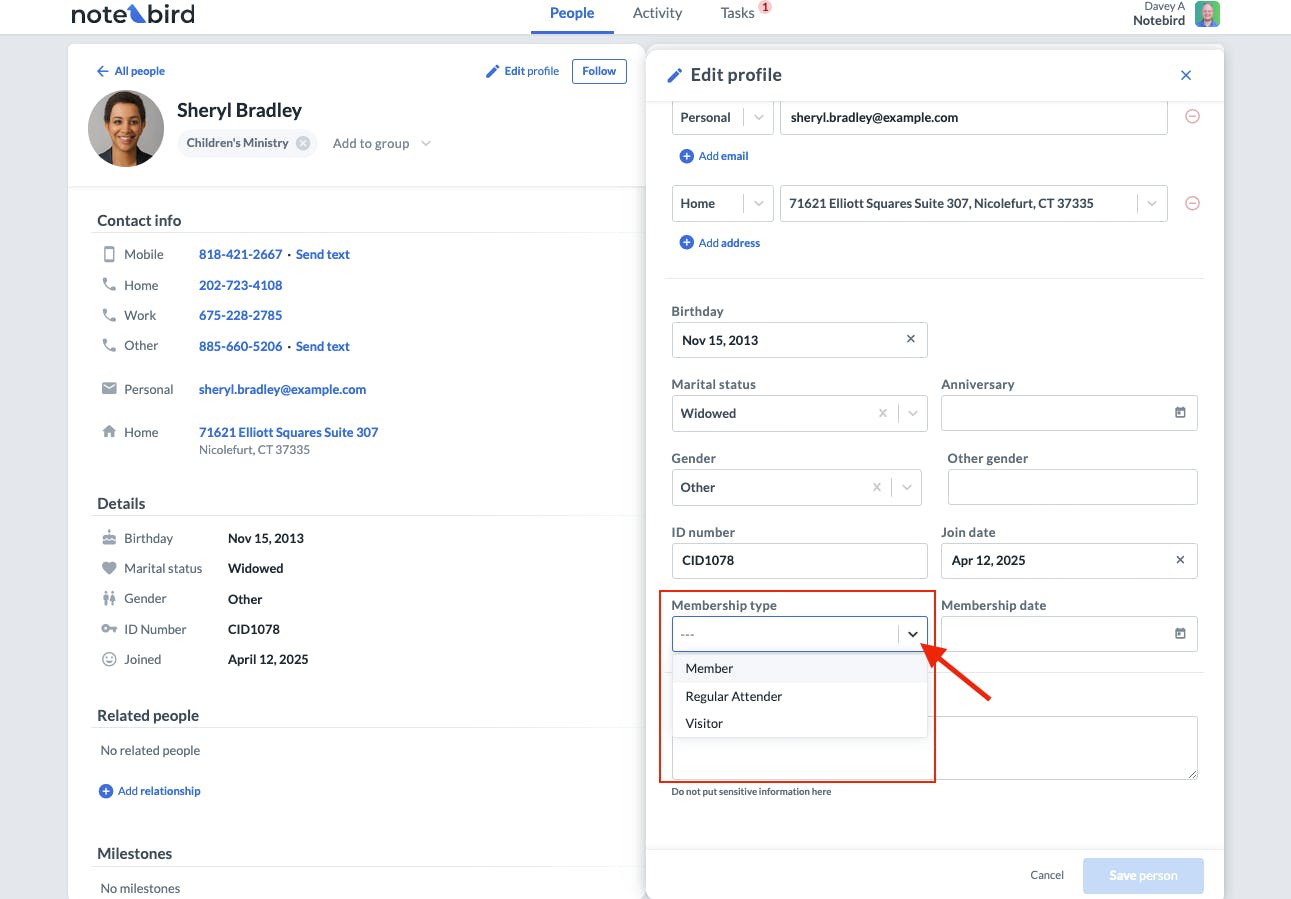
Membership Types solve this. You can now categorize people in Notebird by their membership status — things like Member, Visitor, Regular Attender, or whatever categories make sense for your church. You'll find these under your account customizations screen, right alongside your update types, milestone types, and other custom settings.
Planning Center Sync
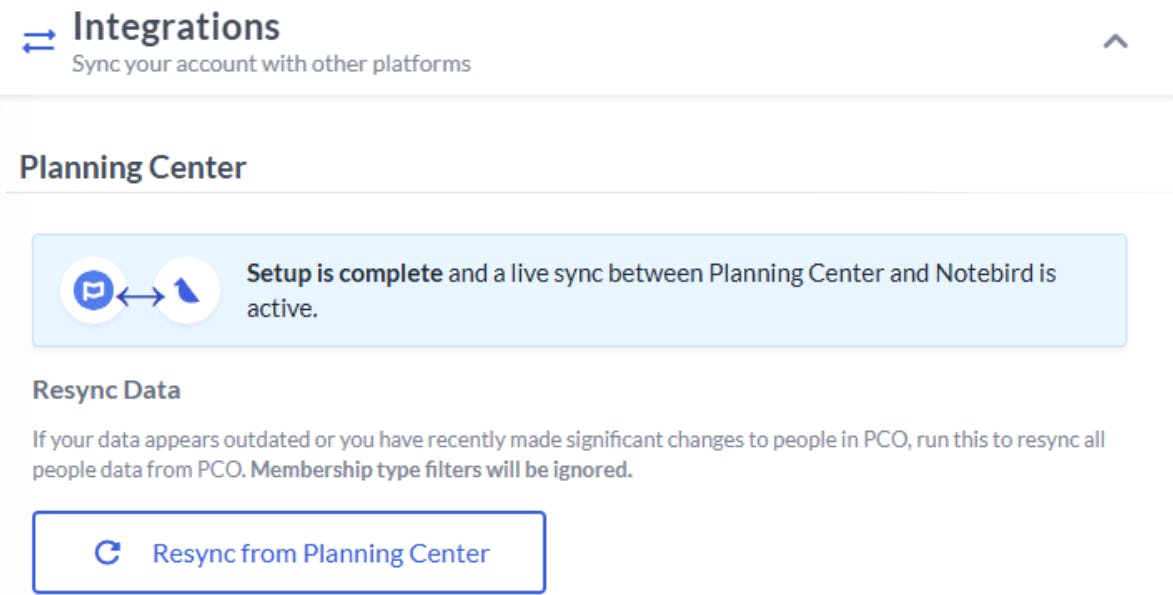
If you're using Planning Center Online (PCO), this is where it gets really powerful. You can now sync your membership types directly from PCO into Notebird. Just visit your account integrations area, hit the "Resync PCO" button, and Notebird will pull down all your membership types automatically.
This means you can filter the people in your account by membership type. Want to focus your care efforts only on active members? You can do that. Want to see just your regular attenders or visitors? Done. It gives your team the ability to keep your Notebird account clean and focused on the people who need dedicated care.
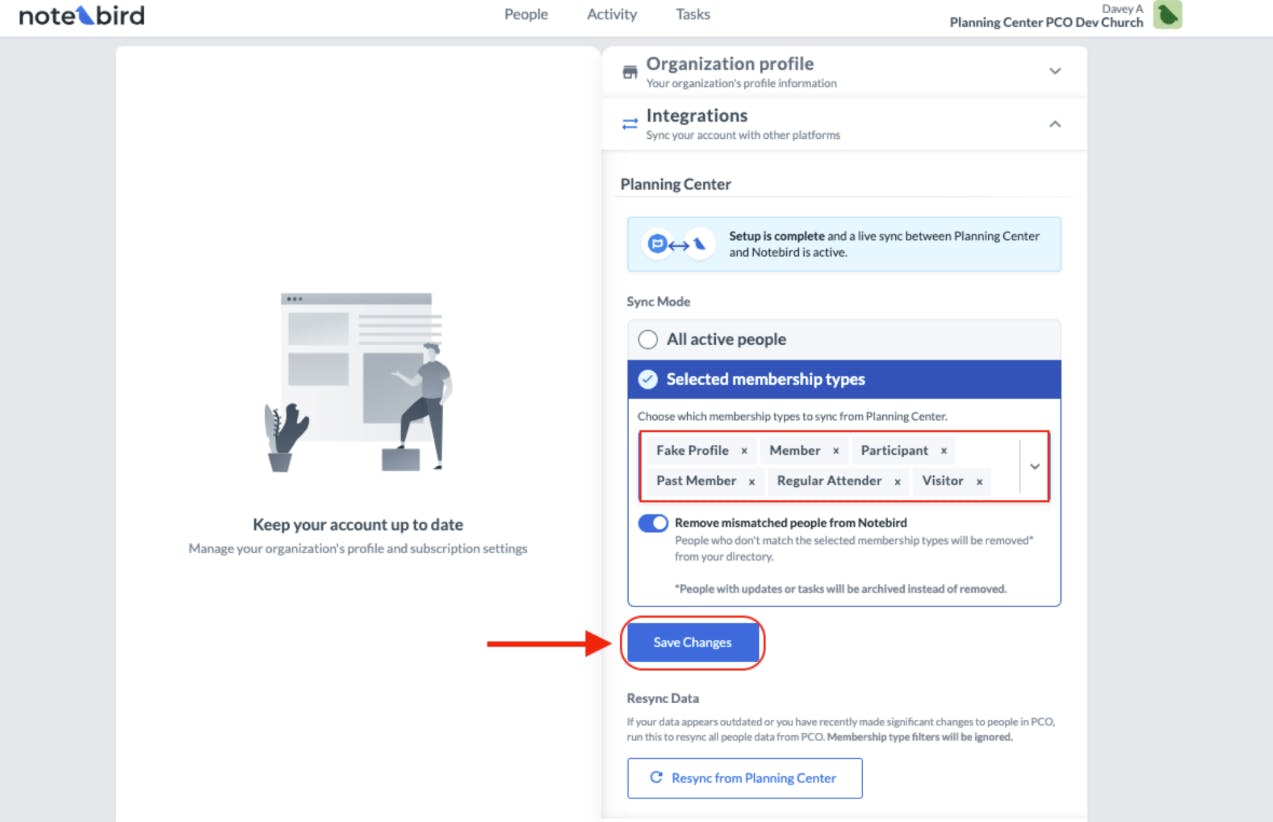
👉 Click here to learn more about syncing membership types from PCO →
Coming Soon for Breeze & Other Integrations
If you're on Breeze or one of our other native integrations, don't worry — automatic syncing of membership types is coming your way in the coming weeks. We're rolling this out across the board.
Filtering by Membership Type
And here's one more thing to look forward to: in the coming weeks, you'll be able to filter your people, updates, tasks, and even Reports by membership type. Imagine being able to pull a care report for just your active members, or see all open tasks for visitors who might need a follow-up. That kind of focus is a game-changer for care teams!
🔮 What's Coming Next: Recurring Tasks
We're really excited about what's coming down the pipeline. The next major feature we're working on is Recurring Tasks. Think about those regular check-ins you want to make — the weekly call to a homebound member, the monthly visit with a grieving family, the quarterly meeting with a volunteer leader. Right now, you have to manually recreate those tasks each time. Soon, you'll be able to set a task once and have it automatically repeat on whatever schedule works for you. No more forgetting. No more manual re-entry. Just consistent, faithful follow-through.
We can't wait to get this into your hands.
🙌 Try It Today
Both attachments and membership types are available for all accounts right now. Log in and start using them today.
If you're not on Notebird yet, there's never been a better time to give it a try. Sign up for a free 14-day trial — no credit card required — and see how these features (and everything else Notebird offers) can help your team care for people better: https://my.notebird.app/signup
If your trial has expired but you'd like to take another look with all these new features, just shoot us an email or start a chat in the app — we're happy to reset your trial so you can experience everything fresh.
💬 We're Listening
A lot of what you're seeing in these updates came directly from your feedback. Attachments, membership types, better filtering — these were features you asked for, and we loved building them.
If there's something you'd love to see in Notebird — a feature, an improvement, a tweak that would make your day a little easier — we genuinely want to hear about it. Drop us an email or start a chat in the app. We read every single message, and your ideas shape what we build next.
Thanks for being part of this journey with us. We love what we get to do, and we love that it helps you care for the people who matter most.
To caring well together, Thomas & The Notebird Team