Product Updates: New, Simpler User Roles and Permissions (+ a New Limited User Role)
Discover Notebird's new user role and permission system—making it safer and simpler to manage team members, with six real-world roles to choose from.
I’m thrilled to share a big update that simplifies managing your team in Notebird.
We know that figuring out the right access levels for each team member hasn’t always been as intuitive as it could be. Many users felt overwhelmed with unclear permission levels, even uncertain about what their teammates could see or do. Sometimes, new members worried about having too much access (or not enough), leading to awkward onboarding and privacy concerns.
This confusion sometimes led to mistakes: from inviting someone with too much access, to team members struggling with their scope of responsibility. Worst of all, sensitive care info risked being exposed to users who didn’t need it. We listened to your stories and knew we could do better...and we did!
Introducing an all new way to invite users and manage their permissions
Today, we’re introducing a fully overhauled user role and permission system, now with six straightforward roles that truly match how teams work in churches, ministries, and organizations. You'll find just the right fit for every volunteer, leader, and admin, bringing peace of mind and clarity for everyone.
For each role, you’ll see exactly who they’re for, what they can access, and where their privacy boundaries are drawn.
You'll also discover a simplified interface, making it easier to read about and understand every role, enabling you to select the correct one for your team members every time.
Let’s walk through each one — real examples included!
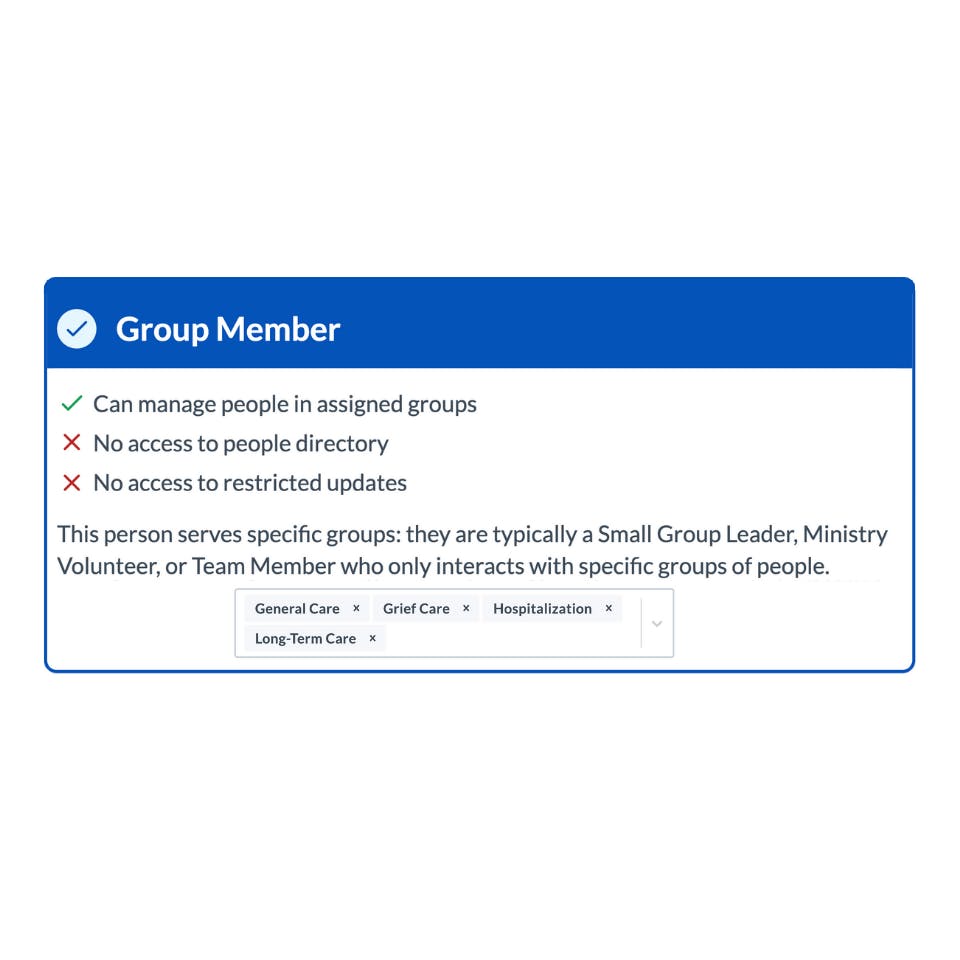
Group Member (New, Limited Role)
We've split the existing Group Member into two different roles: Care Member and Group Member.
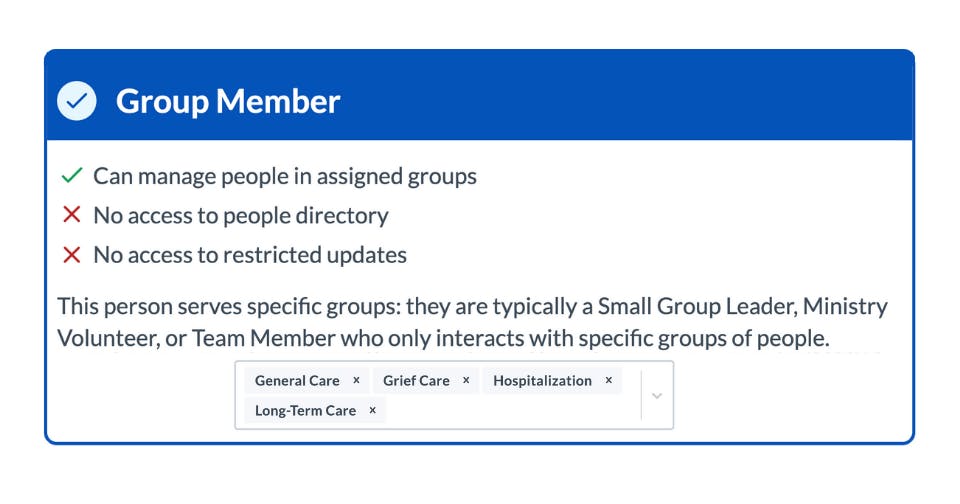
Group Member is now a new, limited permission role with the most restrictions on capabilities. This is for people in your organization who only interact with people in specific groups.
Their key permissions are:
- Can manage people in assigned groups
- No access to full people directory (this is new)
- No access to restricted updates
- Cannot add people (this is new)
- Cannot see or interact with people or updates outside their groups (this is new)
As you can see, this user role is the most limited in its scope of access and responsibility. It's perfect for individuals who need to care for people in a specific group (or groups) and nothing else.
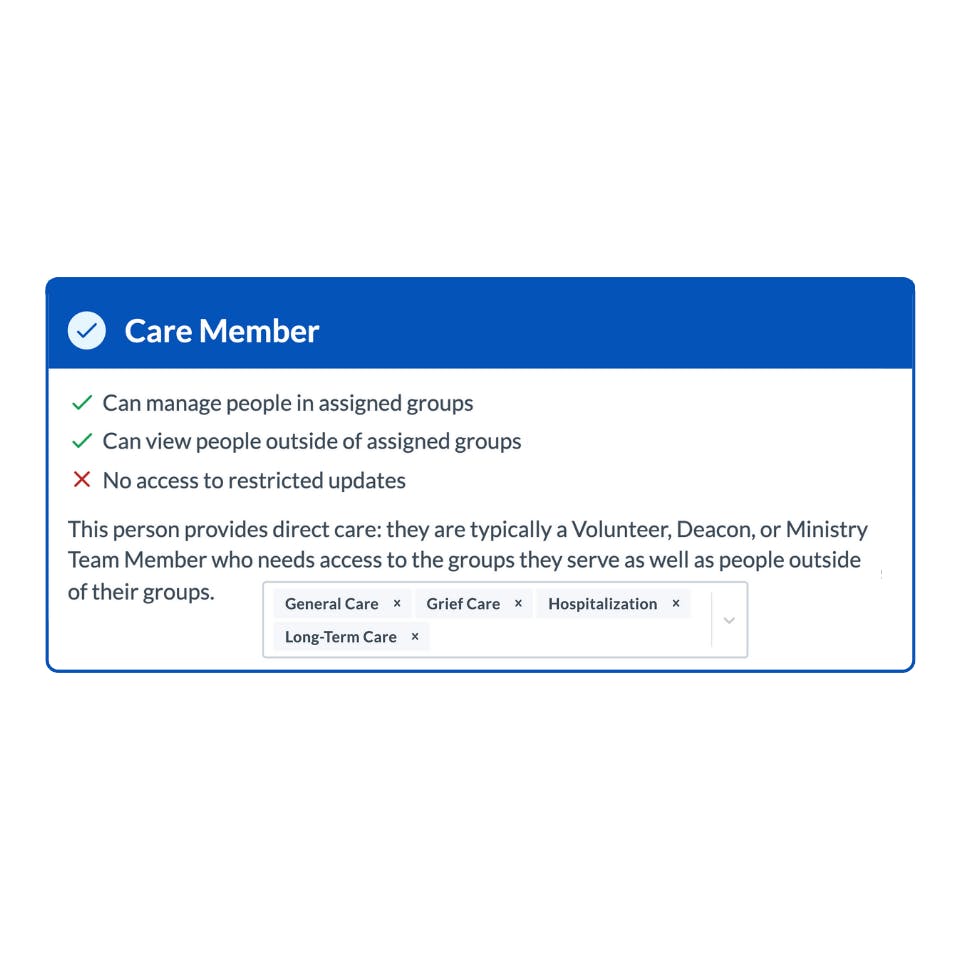
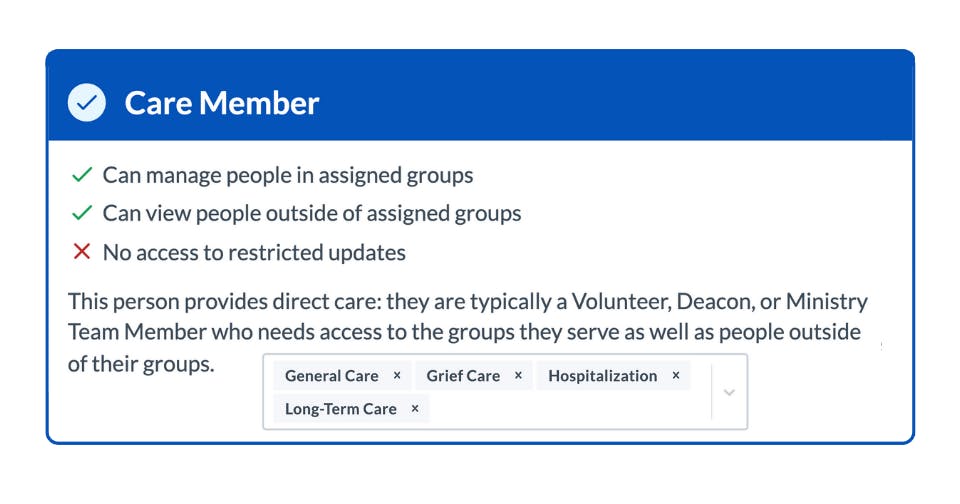
Care Member (Former Group Member Role)
The Care Member role is the former Group Member role with a new name. All existing Group Members have been migrated to this role. They retain all the same access and permissions as before, with the exception of a small change in that they cannot add people into their own groups.
Their key permissions are:
- Can manage people in assigned groups
- Can view people outside of assigned groups
- No access to restricted updates or sensitive care information
- Cannot manage people or updates outside assigned groups
This role is ideal for individuals who should have access to people in specific groups, and should also be able to view your directory of people in your account.
Care Manager (Former Admin With No Settings Toggled)
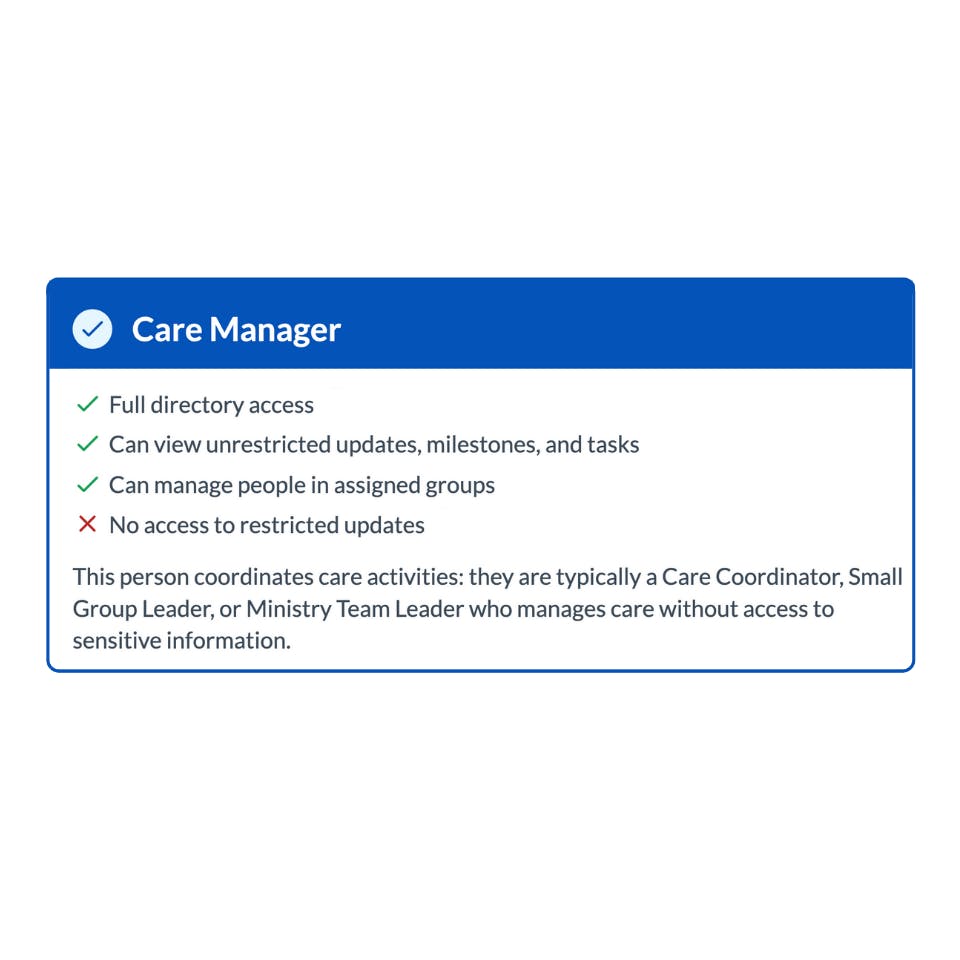
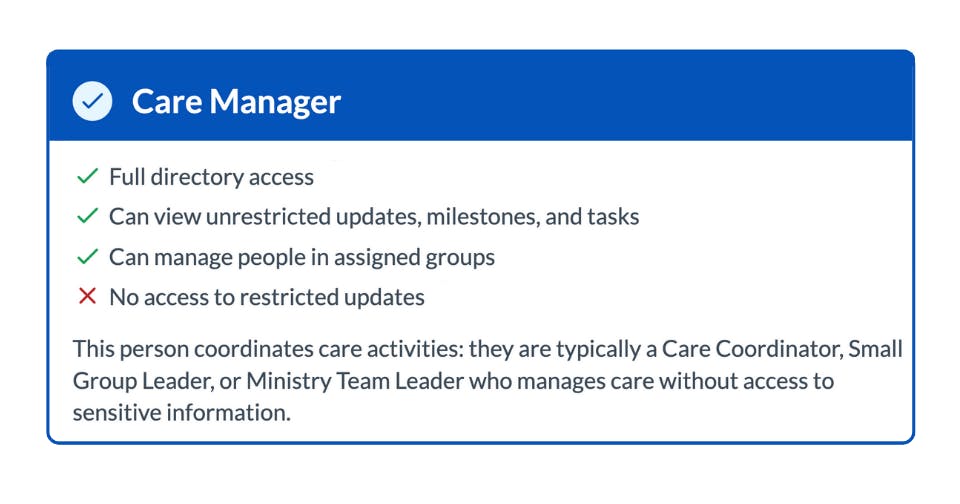
Care Manager is the new term for Admins who did not have access to manage account settings or access to restricted updates.
They have the ability to view all of the people in your organization as well as all updates, tasks and milestones associated with them. Additionally, they have the ability to manage the groups that people are assigned to.
This role is ideal for care coordinators, ministry team leaders, deacons and even small group leaders who might oversee care activity but don't need access to sensitive care information.
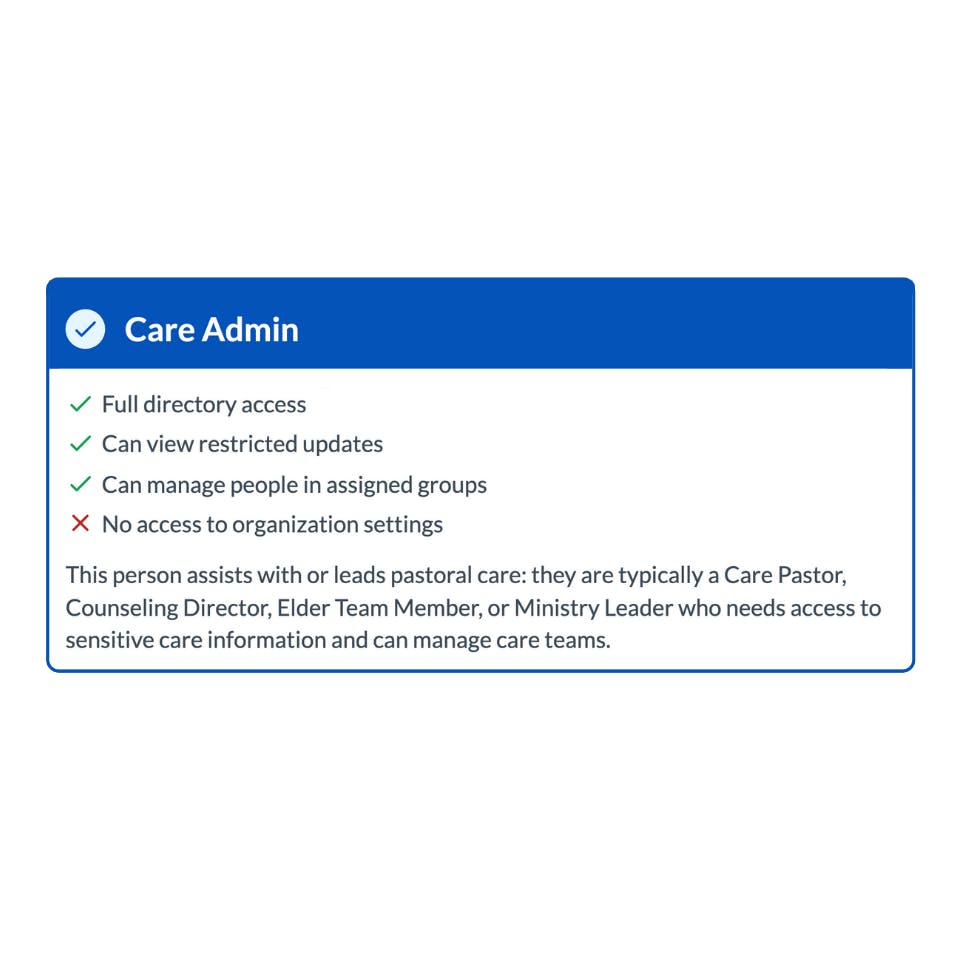
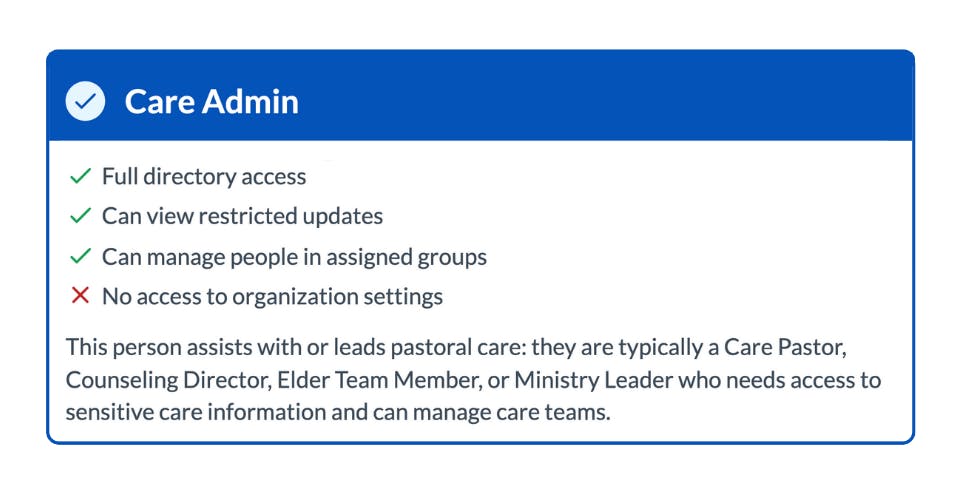
Care Admin (Former Admin With Restricted Updates Access)
Care Admin is the new term for Admins who did not have access to manage account settings but did have access to restricted updates.
This is a popular role for care and counseling pastors, counseling directors, staff pastors and lay elders who need to have a strategic view of care activity across the organization, and also need to be privy to sensitive, confidential care as well.
Their key permissions are:
- Full directory access
- Can view restricted updates (access to sensitive care information)
- Can manage people in assigned groups
- No access to organization account settings (like managing billing, users, groups, etc.)
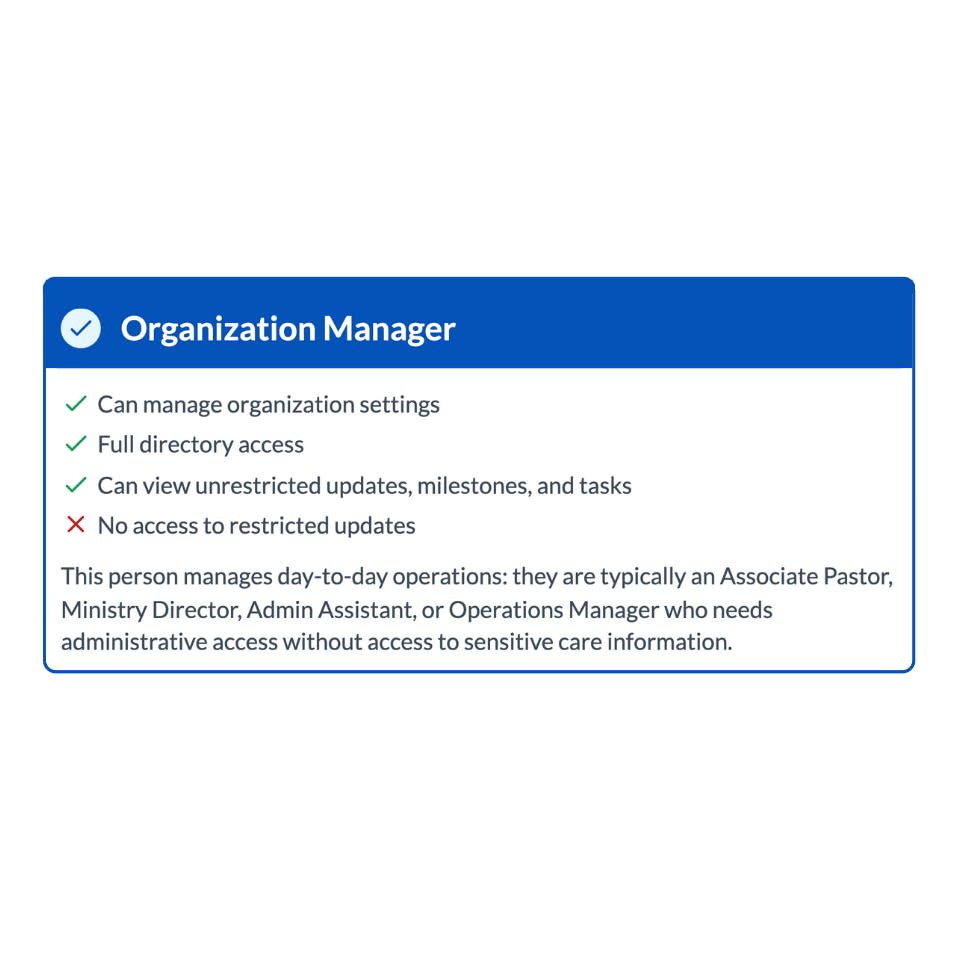
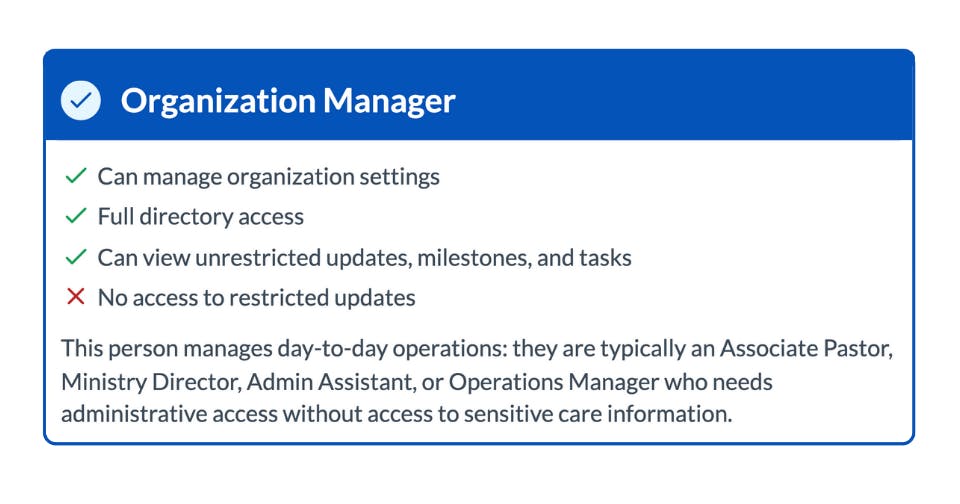
Organization Manager (Former Admin With Account Settings Access)
Organization Manager is the new term for Admins who had access to manage account settings but did not have access to restricted updates.
This is a common role for admin assistants, operations managers or even church administrators, who need to be able to handle the backend of the account, as well as help manage care needs, without having the ability to see confidential, restricted updates.
Their key permissions are:
- Can manage organization account settings
- Full directory and update access (except confidential/restricted care updates)
- Can manage team members, groups, and organizational features
- No access to restricted, confidential care info
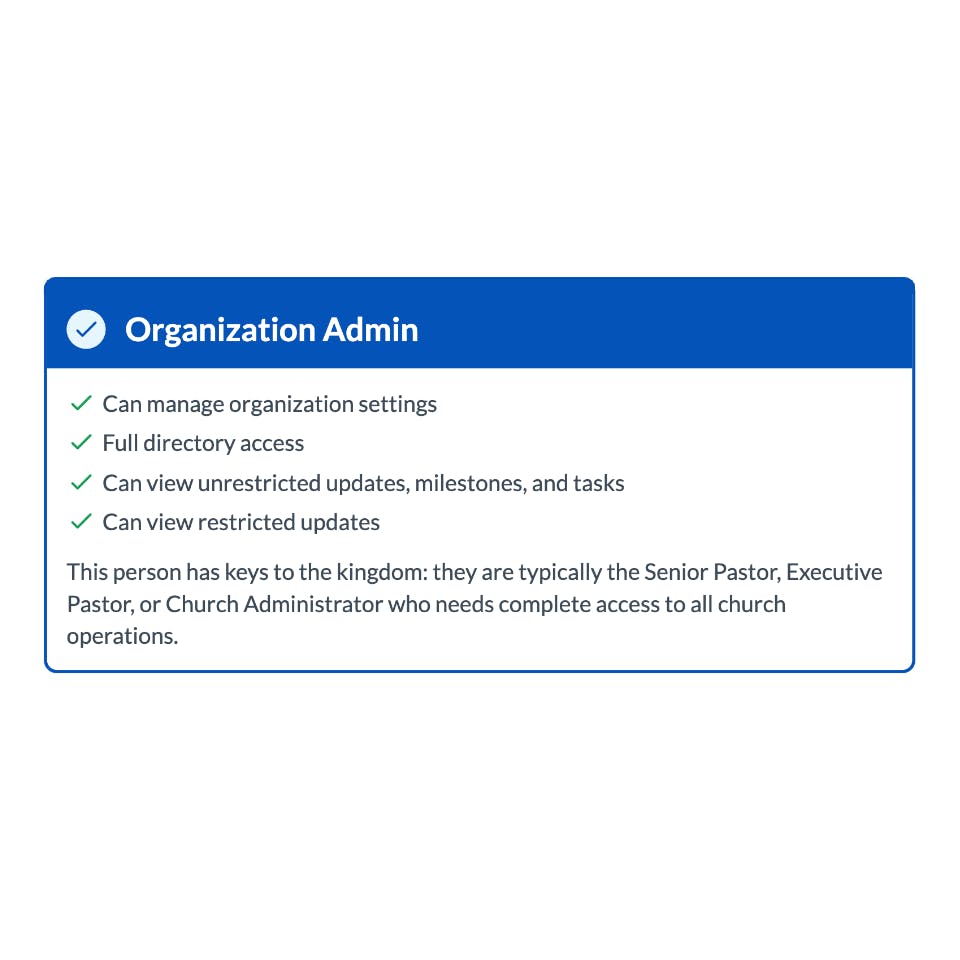
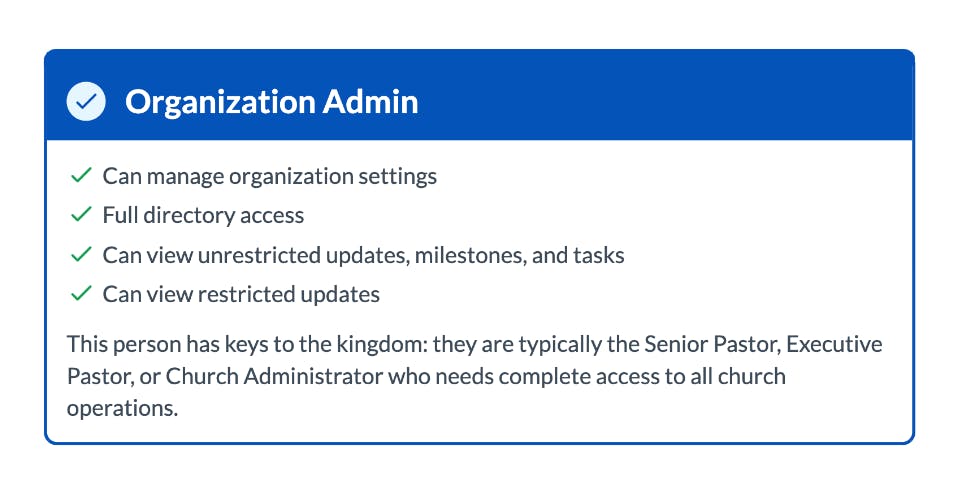
Organization Admin (Former Admin With Account Settings and Restricted Updates Access)
Organization Admin is the new term for Admins who had access to manage account settings as well as access to restricted updates.
Their role is essentially another owner on the account who can see and do everything that the account owner can do.
Their key permissions are:
- Highest access — can manage both organization settings and restricted care information
- Can invite, modify, or remove any user role
- Can oversee all team members, groups, and privacy roles
How Does This Help Your Team?
I believe this should simplify the user management process for users on your account. Here are a few key benefits of this new, simplified way of presenting user roles and permissions:
- Clear, actionable roles — no more guesswork!
- Privacy-first — only those who need sensitive info can see it.
- Easier onboarding — invite people with confidence, knowing exactly what they'll see and do.
- Real-world language — no more generic "admin" or "member" ambiguity.
Ready to Get Started?
More and more pastors and ministry leaders choose the Notebird pastoral care app every day to provide better care to their people.
👉 Join them for free today and claim your 14-day risk free trial - no credit card necessary.